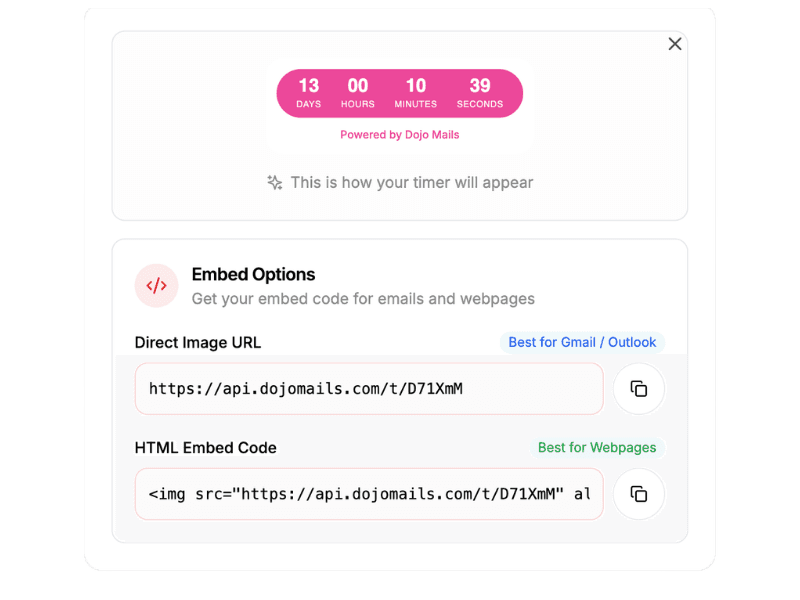
Works with your stack
Paste a simple image URL into any email platform.






How it works
From design to inbox
in under 2 minutes
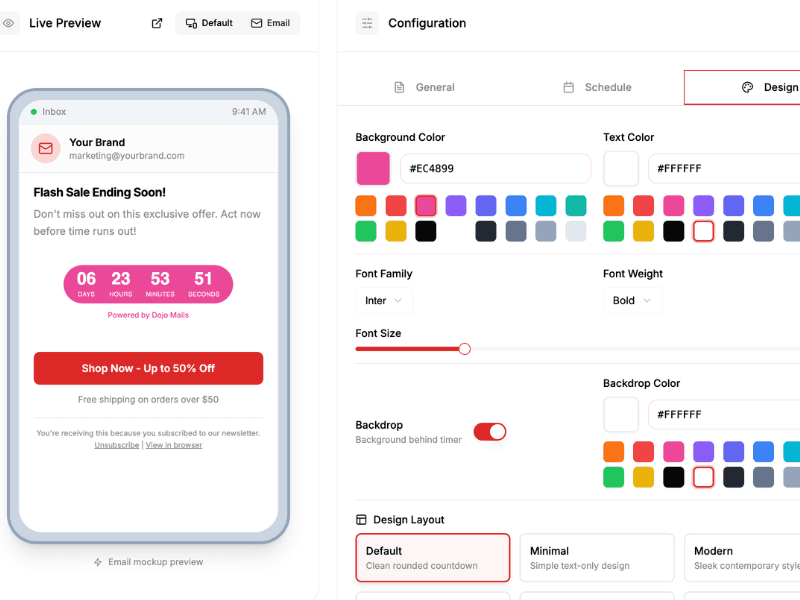
Design your timer
Choose from 15+ styles. Customize colors, fonts, and size to match your brand. See changes in real-time.
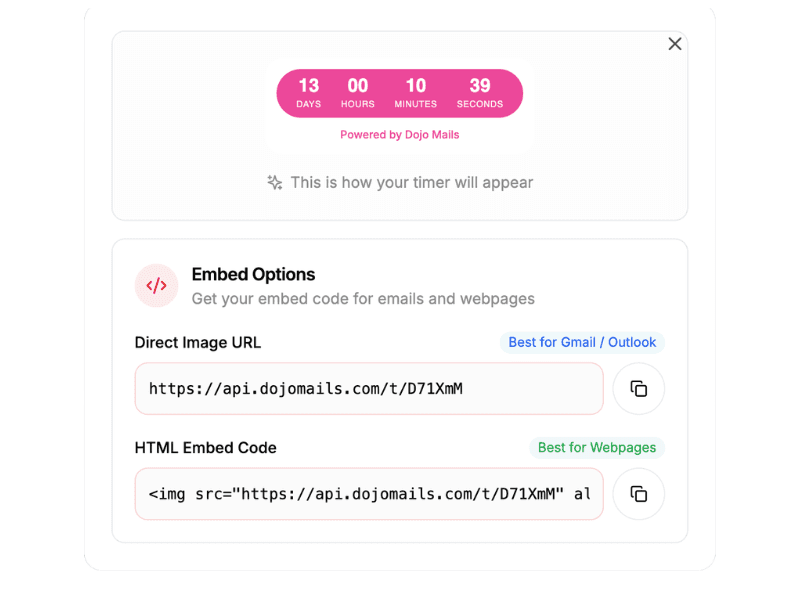
Copy the embed code
One click copies your timer URL. It works as a standard image tag — no JavaScript, no dependencies.
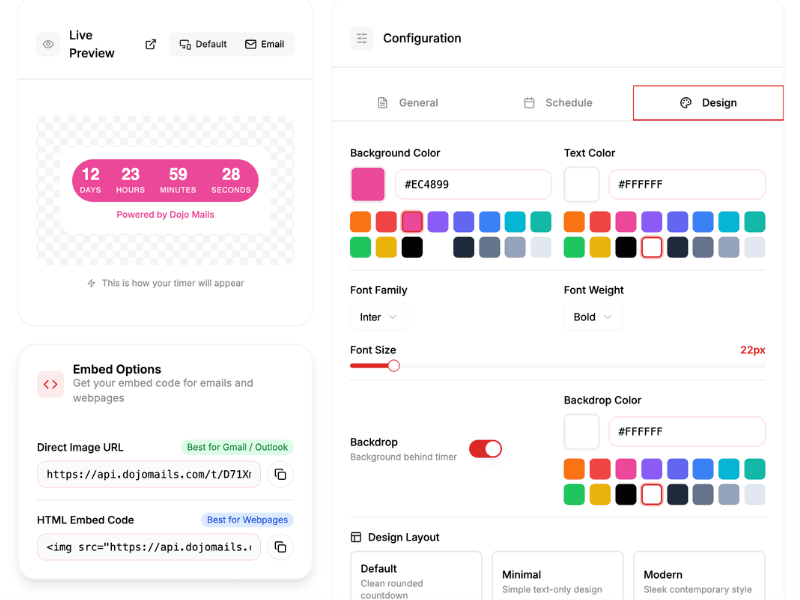
Edit your Countdown Timer
Customize colors, fonts, and styles anytime. Your changes apply instantly — no need to update embed codes.
Features
Built for email marketers
Everything you need to create urgency that actually converts.
Real-time countdown
Unlike static images, our timers regenerate every single time someone opens your email. The countdown is always accurate — whether they open it immediately or three days later.
- Updates on every email open
- No caching or stale times
- Works across all email clients


Full customization
Match your brand with custom colors, fonts, sizes, and backgrounds. Choose from 15+ pre-built styles or create your own.
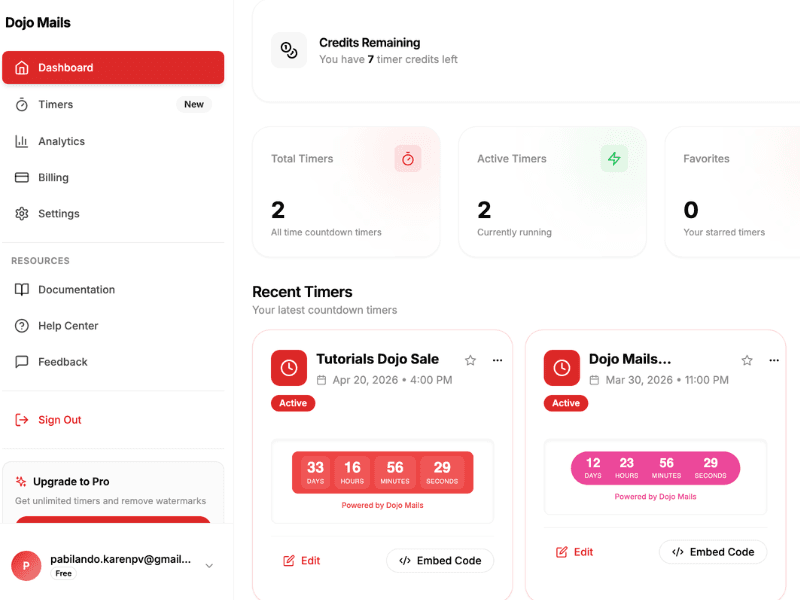
Built-in dashboard
Manage all your timers in one place. View, edit, and organize your countdown timers with an intuitive interface.
Flash Sale - 48 Hours Only!
from: deals@yourstore.com

Compatibility
Works in every inbox
Our timers are rigorously tested across 50+ email clients. If a client doesn't support animations, we automatically serve a pixel-perfect static fallback.
- Gmail (web & mobile)
- Outlook (all versions)
- Apple Mail
- Yahoo Mail
- Samsung Email
- 50+ more clients
Works with your email platform
Use cases
Timers that drive results
See how teams use countdown timers to boost conversions across every campaign type.

Flash sales
Create urgency with visible deadlines. Limited-time offers convert 3x better with countdown timers.

Product launches
Build anticipation by counting down to your release. Get more sign-ups and day-one sales.

Event registration
Fill seats faster by showing exactly how much time is left to register.

Cart abandonment
Win back abandoned carts with time-limited discounts and real urgency.
Testimonials
Trusted by marketing teams
"We added countdown timers to our Black Friday emails and saw a 47% increase in click-through rate. The timers look perfect in every email client — even Outlook."

Sarah Chen
Marketing Director at TechStart

"Setup took less than 5 minutes. The timer integrated perfectly with Klaviyo."
Marcus Johnson
E-commerce Director, Urban Retail
"Webinar registrations doubled the week we added countdown timers to our reminder emails."
David Kim
Growth Manager, EventPro
"Finally, a timer that actually works in Outlook. We've tried them all."
Emily Rodriguez
Email Marketing Lead, SaaS Labs
FAQ
Frequently asked questions
Everything you need to know about Dojo Mails timers.
Our timers are generated as animated GIF images on our servers. Every time someone opens your email, we generate a fresh image with the current time remaining — so the timer is always accurate.
All major clients including Gmail, Outlook (all versions), Apple Mail, Yahoo Mail, and 50+ more. For clients that don't support animated GIFs, we automatically serve a static fallback image.
Absolutely. You can customize colors, fonts, sizes, backgrounds, and choose from 15+ pre-built styles. Every timer can be tailored to match your brand perfectly.
You control what happens. Show an 'Expired' message, display custom text like 'Sale Ended', or redirect viewers to a different URL.
No coding required. Design your timer visually in our editor, copy the generated image URL, and paste it into any email builder — Mailchimp, Klaviyo, HubSpot, or raw HTML.
The free plan includes 5 active timers, 1,000 views per month, and basic customization options. It's enough to test the product and run small campaigns.
Yes. You can set a global deadline (same time for everyone) or let the timer automatically adjust to each recipient's local timezone.